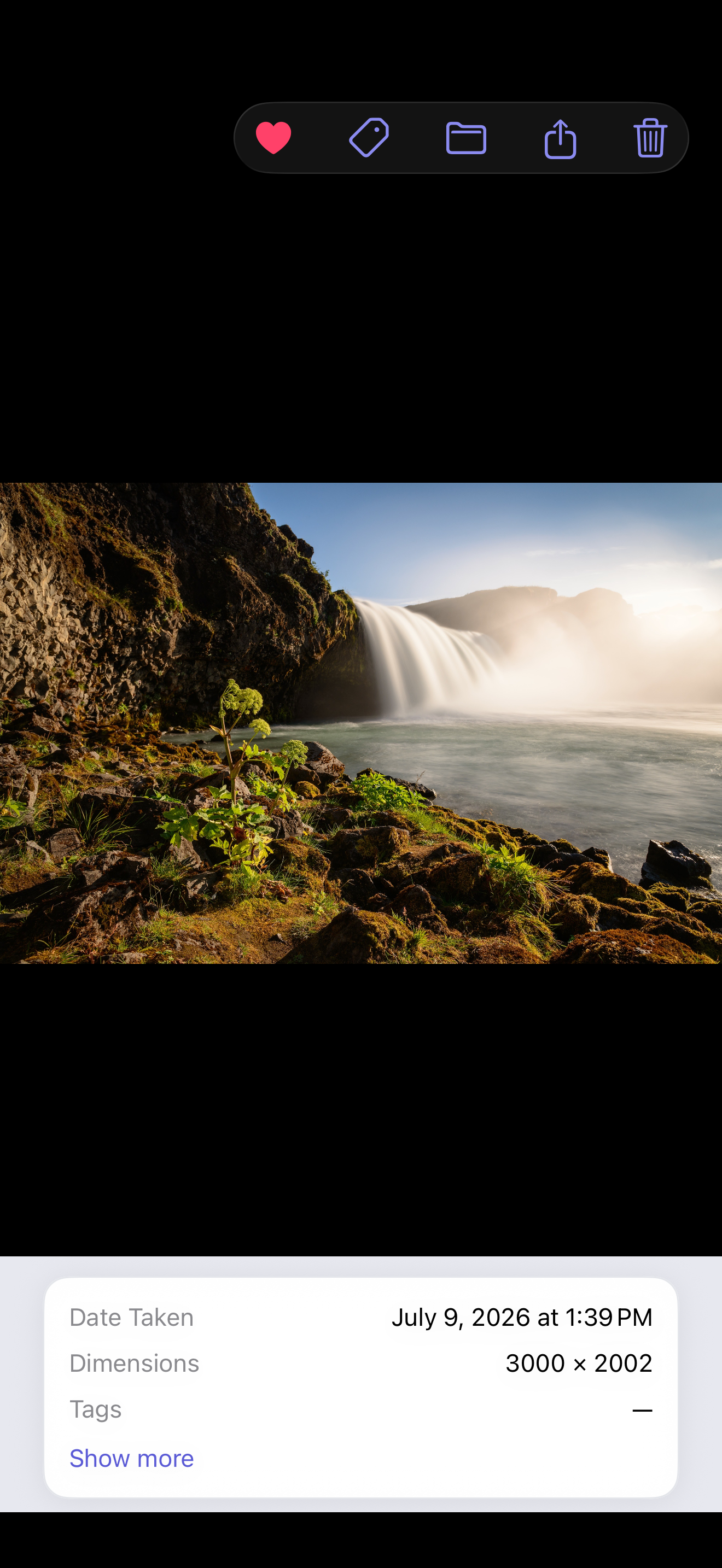
Sort your photos. Keep your originals untouched.
PixSort imports private copies into albums you control — then helps you search, de-clutter, and lock them away. Apple Photos is never changed.
Download on theApp Store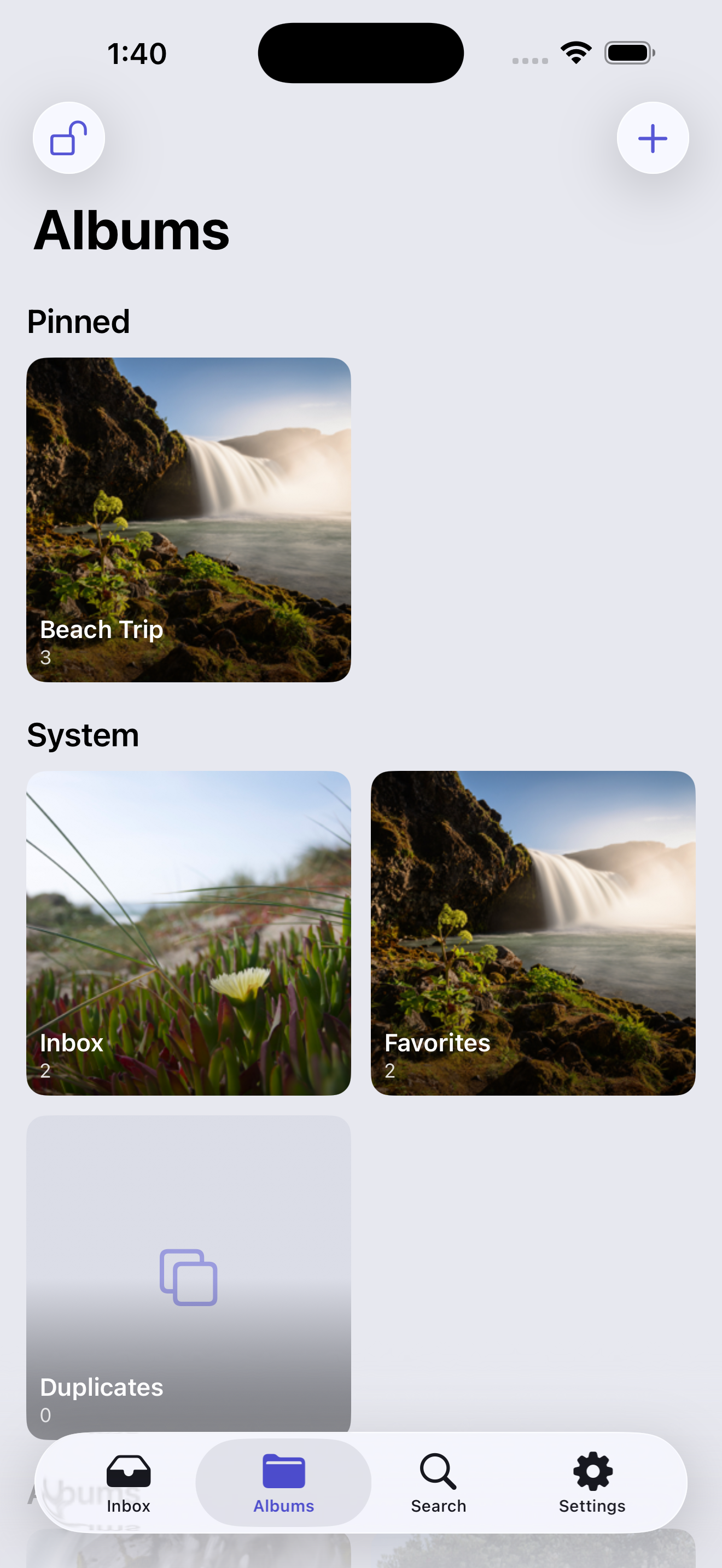
Apple Photos is never touched
PixSort only reads your library. It never deletes, moves, or changes a single original.
Everything on-device
Search, tagging, and duplicate detection all run on your phone. Nothing is ever uploaded to us.
Private by design
No accounts, no analytics, no ads. Lock any album behind a passcode that stays on your device.
A calm home for a chaotic library.
Bring photos in, file them into albums, and watch the clutter clear — with the tools to find, tidy, and protect them along the way.
Import into any album
Open an album, pick photos from Apple Photos, and they land right there — no inbox detour, no filing them twice.
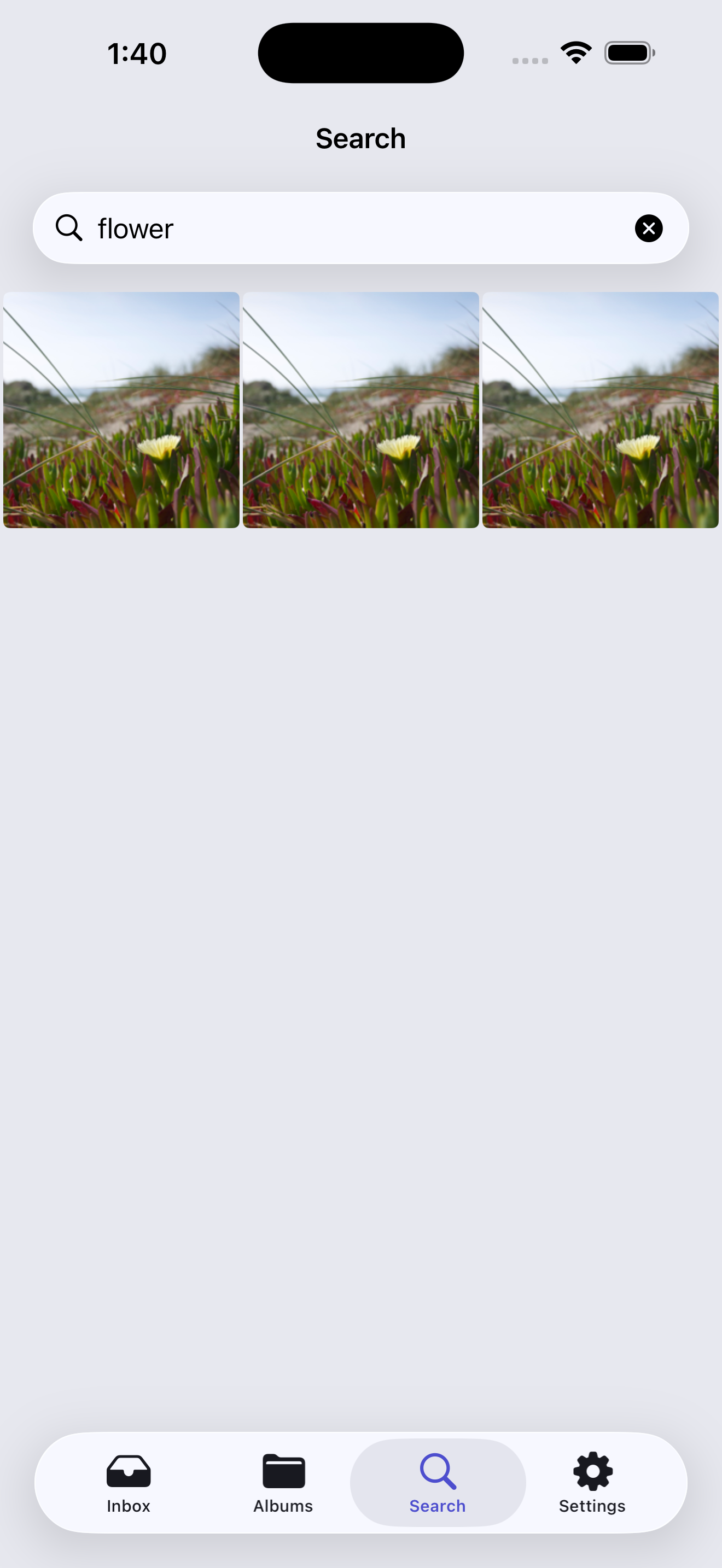
Search by what's in it
On-device AI finds photos by what they show — “beach”, “receipts”, a name you tagged — without a single photo leaving your phone.
Clear out duplicates
PixSort spots near-identical shots and helps you keep the best one — reclaiming space in a tap.
Lock away private folders
Hide any album behind a passcode. Hidden folders vanish from the app entirely until you unlock them.
Export anywhere, lossless
Send an album to iCloud Drive, a USB drive, or a friend — original files, full metadata, exactly as they came in.
Live Photos, kept whole
Photos, videos, and Live Photos import in full quality — both components stay linked, nothing downgraded.
Find any photo by what's in it.
Type what you remember — a place, an object, a person you've tagged — and PixSort surfaces it instantly. The whole search index is built and stored on your device.
No cloud, no waiting for uploads, no account. It just works, even offline.
Organize freely. Nothing to undo.
Because PixSort works on its own private copies, you can sort, merge, and delete inside the app with total freedom — your Apple Photos originals never change.
Apple Photos stays your source of truth and backup. PixSort is just the calm, organized layer on top.